The shoebox, brought into the light
Your old photographs,
restored — and kept.
Photograph a faded print with your phone. Attic brings back the faces and the detail, then keeps your restorations together on your phone.
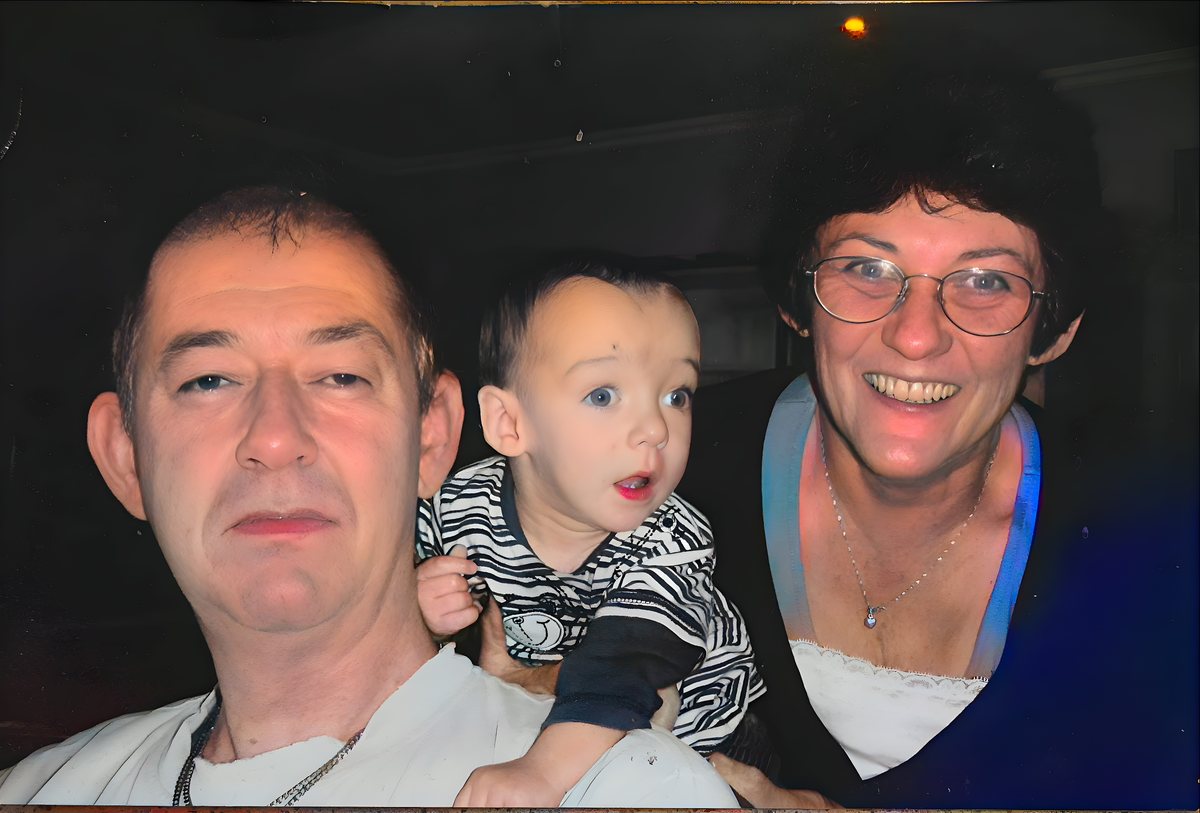
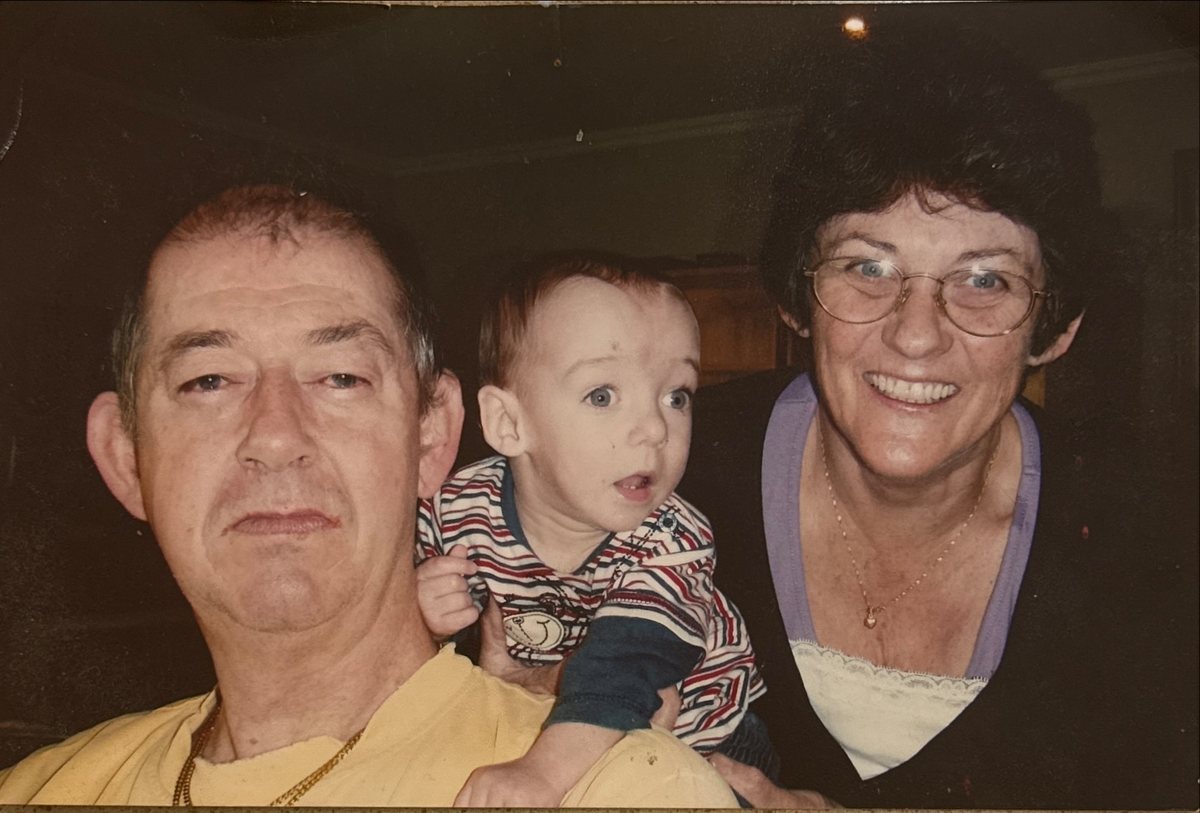
A real restoration. Drag the handle to compare.
Three taps between the drawer and the frame.
Photograph the print
Lay an old photo flat and snap it. Attic finds the edges and straightens it — no scanner needed.
We bring it back
Detail sharpened and faces rebuilt from what’s there. Free tools on your phone fix a colour cast or brighten it up.
Kept in your Attic
Every restoration is saved in your library on your phone, before-and-after, ready to share with the family.
Made for the photographs worth keeping.
Faithful by design
Attic works from what’s in the photo, leaves the tiniest faces alone rather than guessing, and tells you when Colourise or Remove glare paints something in.
Buy a pack, not a plan
Pick up a pack of credits and use them at your own pace. One credit restores one photo, and Colourise or Remove glare each use one more, and Bring to life uses three. No subscription.
Your photos stay yours
No account needed. Restorations live on your phone, our copy is deleted within a day, and we never use your photos to train AI.
Old black-and-white photos, brought back in colour.
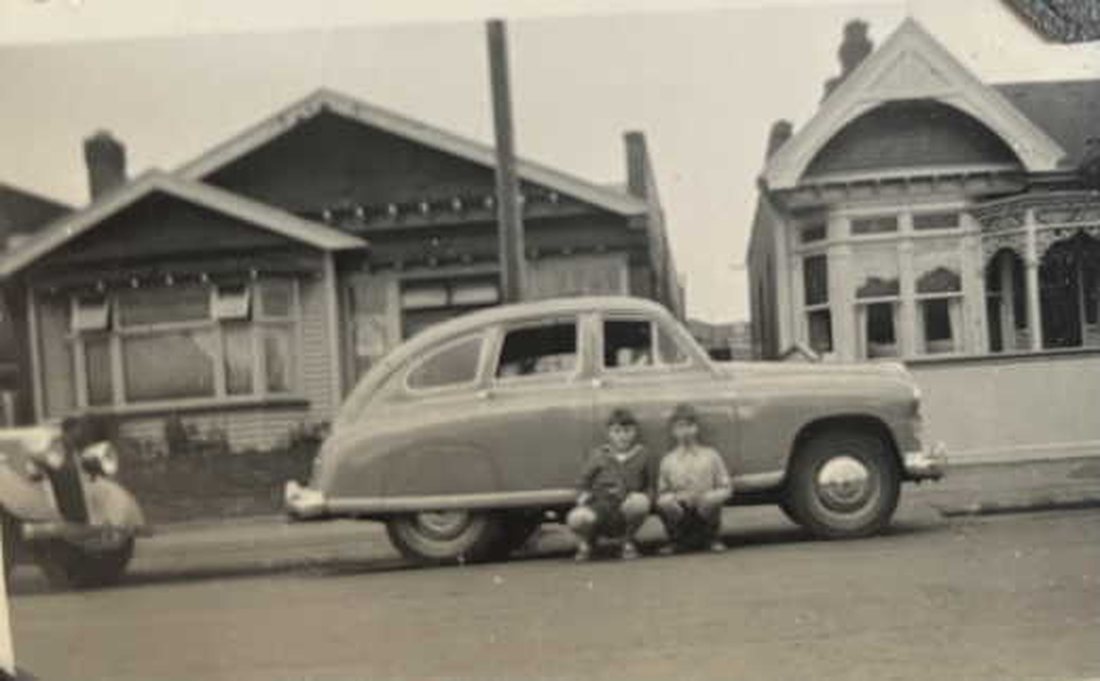 Before
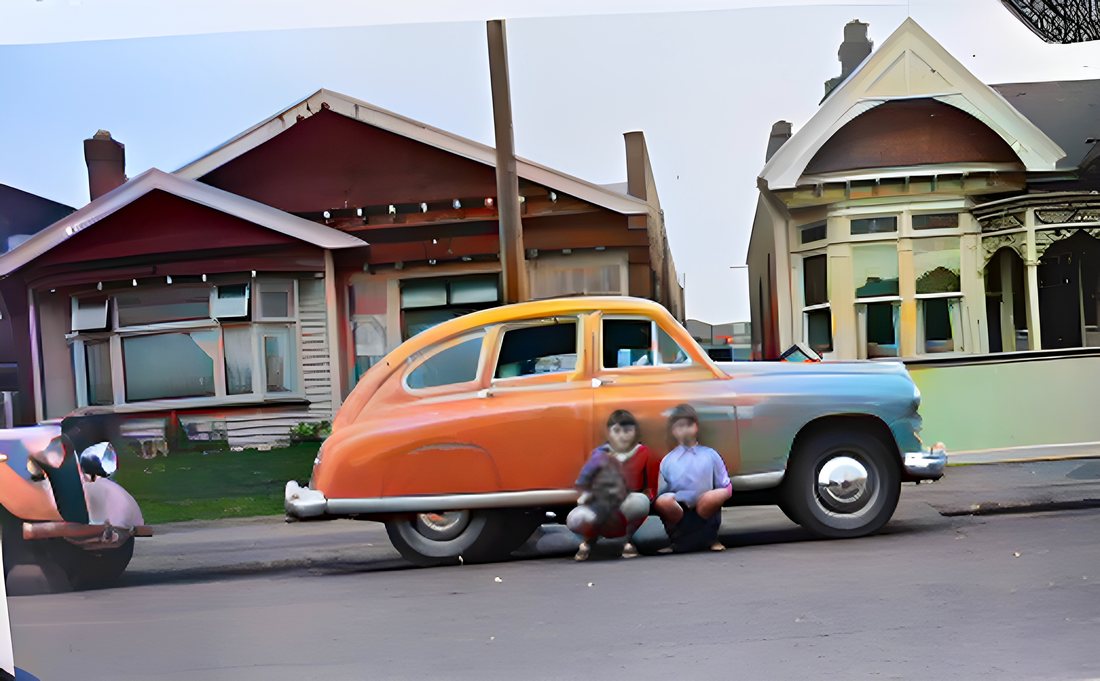 After
AfterA favourite photo, moving again.
Choose a restored photo and Attic adds a few seconds of gentle movement: a blink, a smile, a slight turn of the head. The movement is made up by AI from the photo, so it’s a keepsake rather than a record. It uses three credits, takes a few minutes, and carries on even if you close the app.
Buy a pack. Fix the ones that matter.
Each pack is a set of credits, and one credit restores one photo. Colourise or Remove glare each use one more, and Bring to life uses three. Buy a pack once and use it at your own pace — no subscription.
Your first five restorations are free.
Prices in US dollars. The App Store always shows the price in your own currency.
The things people ask first.
Does it work on Android?
Not yet. Attic is for iPhone and iPad only.
What does it cost?
Your first five restorations are free. After that you buy a pack of credits and use them whenever you like: one credit restores one photo, and Colourise or Remove glare each use one more, and Bring to life uses three. There is no subscription and nothing renews.
If a restoration fails on our side, it doesn’t use a credit. One that finishes still uses its credit even if it never reaches your phone, so keep Attic open until your photo appears. If one goes missing, email support@intotheattic.app and we’ll put it back.
Do I need a scanner?
No. Lay the print flat in good light and photograph it with your iPhone or iPad — Attic finds the edges and straightens it. You can also choose a photo that’s already on your phone.
Can it fix torn or damaged photos?
Attic sharpens detail, rebuilds faces from what’s there, and can bring black-and-white photos back in colour. Free tools on your phone fix a colour cast or brighten a faded print. It works with what’s in the picture, so it won’t repaint pieces that are missing from a torn photo.
For photos behind glass, the Remove glare tool redraws what the reflection was hiding, and it tells you so before it runs.
What happens to my photos?
Attic asks your permission before sending any photo to be restored. The photo goes to our server and on to Replicate, the company that runs the AI models, and both delete it within a day. Remove glare also sends it to Google’s image model, under Google’s own terms. We never use your photos to train AI, and there’s no account to sign up for.
Your restorations are kept on your own phone. The full details are in our privacy policy.
Where are my restorations kept?
In your Attic, on your phone, with the before and after side by side. Save the ones you love to your Photos app too — the library isn’t backed up, so deleting Attic or changing phones loses it.
Can I share it with family?
Yes. Share any restoration straight from the app. You can also invite someone with your code from Settings, and once they’ve restored their first photo you can each earn free restorations. Limits apply.